MrDoc Deployment Guide
Simple Run
Deployment guide
Deploy MrDoc with Docker (recommended)
Docker image deployment
Deploy with Docker Compose
Manage Docker containers
Deploy MrDoc on Linux
Deploy MrDoc with Nginx + uWSGI
One-click deployment script (no longer maintained)
Baota Panel "Python Project Manager 1.9" deployment
Official Docker image deployment
Deploy MrDoc on Windows
Deploy with Waitress
Windows deployment panel
NAS deployment
Deploying on Zspace NAS
Feiniu FnOS deployment
Update upgrade notes - Open Source Edition
Update upgrade notes - Pro edition
System dependency library description
Migrating native deployment to Docker deployment
Configuration guide
Custom database configuration
Configure PDF generation for collections
Full-text search configuration
Using MySQL database with Docker
Configuring MySQL database to support emoji
Host static file resources with Nginx
Enable SSL with Nginx / Set up HTTPS
Configure reverse proxy/bind domain with Nginx
Nginx handling local video playback
Custom uWSGI configuration
Configuration file description
Data security
Site data backup/site migration
Professional data export and import
Open source data export and import
Data migration from open source to professional edition
Frequently asked questions
What to do if SQLite3 version error occurs?
What if the admin forgets the password?
Error: SyntaxError: invalid syntax
MySQLdb._exceptions.OperationalError: (1366, "Incorrect string value:")
Baota Panel "Python Project Manager" virtual environment usage issues.
View logs/log storage location
403 errors on POST/PUT requests for login, publish, upload, and edit under Nginx/HTTPS
What if I can't access the backend after switching the default login method?
Troubleshooting
Tip sponsorship records
MrDoc deployment server configuration recommendations
Powered by MrDoc Pro
-
+
home
Feiniu FnOS deployment
# Deployment on Feiniu FnOS Feiniu FnOS is a NAS operating system based on the Linux kernel with deep customization. The following describes how to deploy MrDoc in Feiniu fnOS. > i This tutorial uses fnOS V1.1.19 for demonstration. ## 1. Obtain the Docker image In the "Docker" component of Feiniu OS, switch to the "Image Repository" tab, enter "mrdoc" in the input box and click the search icon. In the search results, select the "zmister/mrdoc" image. 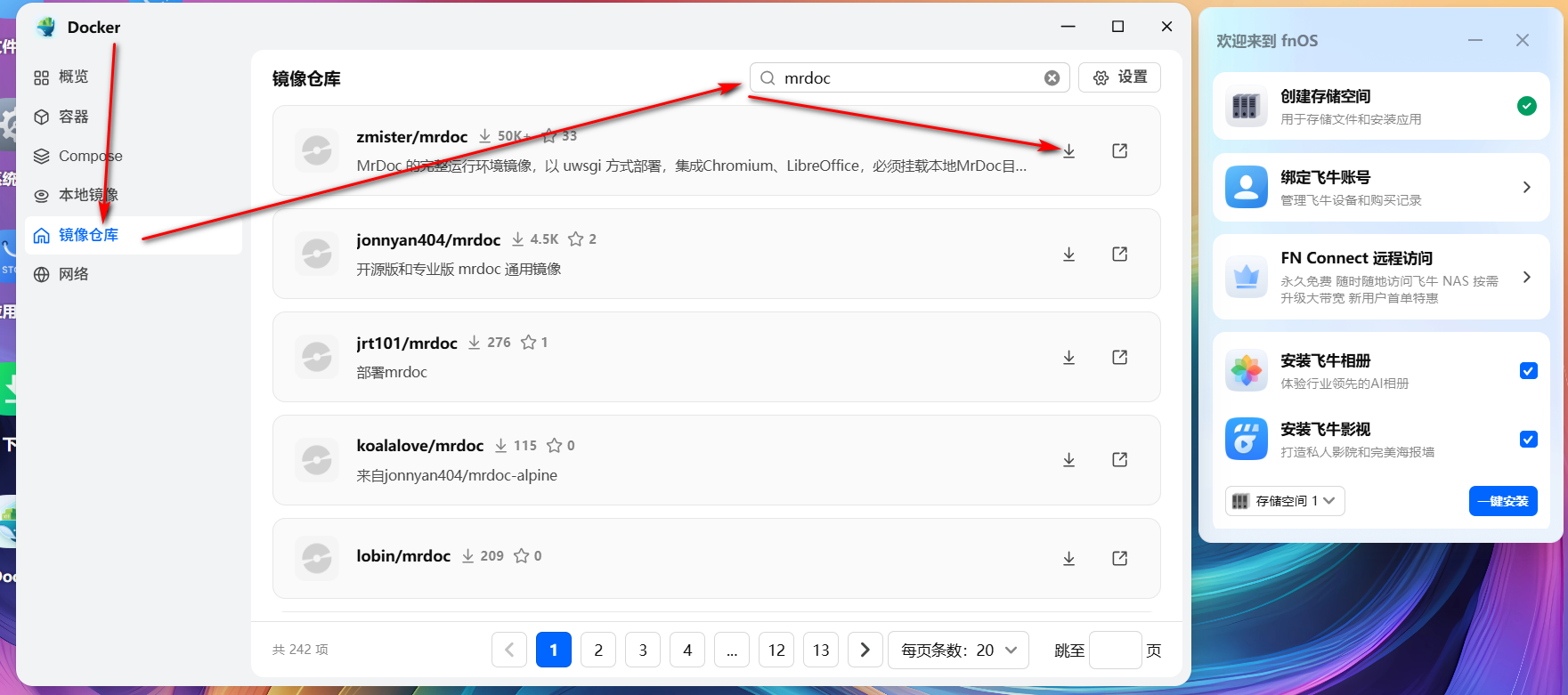 Then select the latest version: 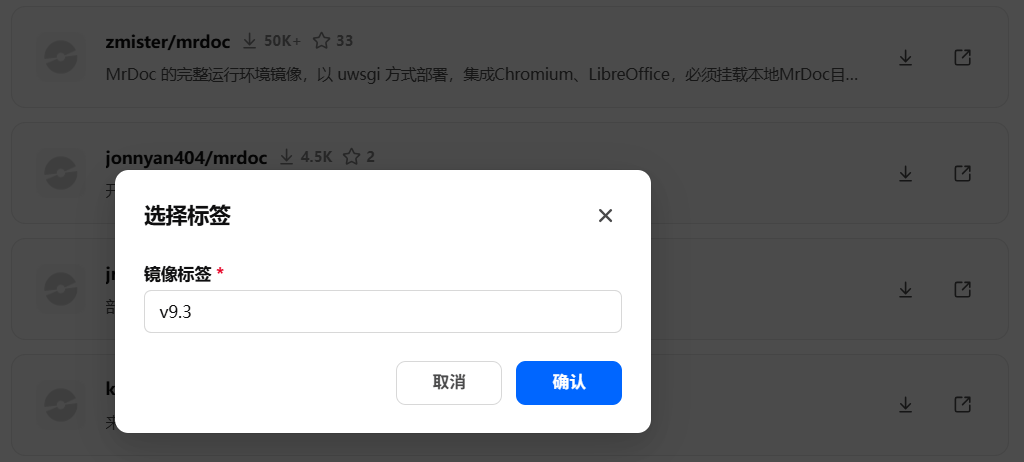 After the download is complete, it will be displayed in the image management of the Docker local images: 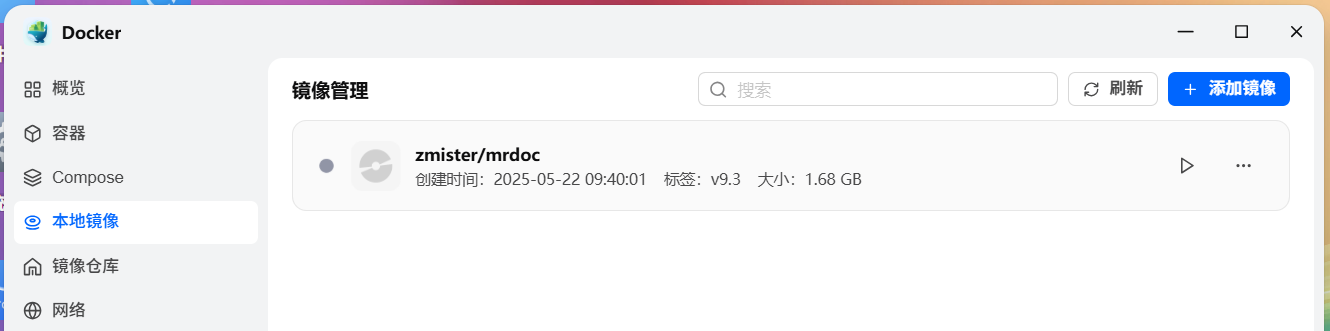 ## 2. Obtain the code Go to the MrDoc repository (https://gitee.com/zmister/MrDoc) and use Git or download the "zip" archive to your local machine: 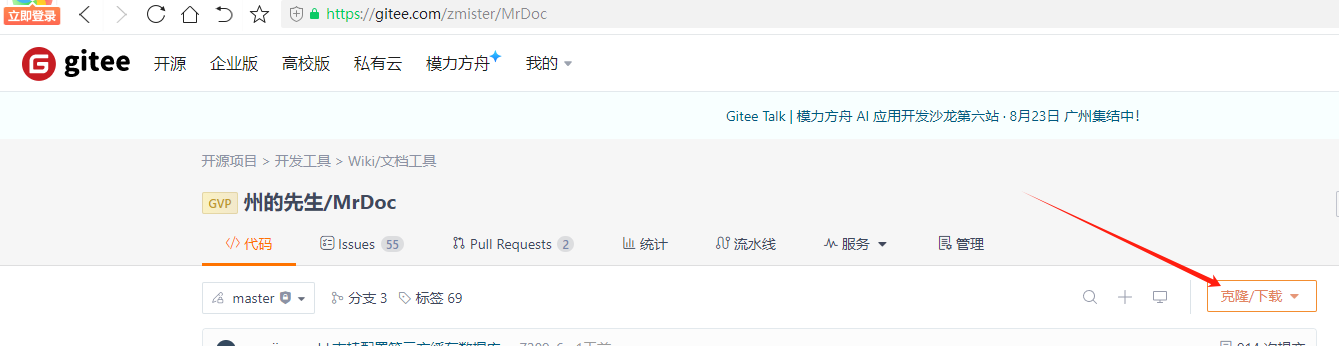 Upload the zip archive directly to Feiniu OS; or extract it locally, then upload the MrDoc code directory to the specified folder in Feiniu OS: 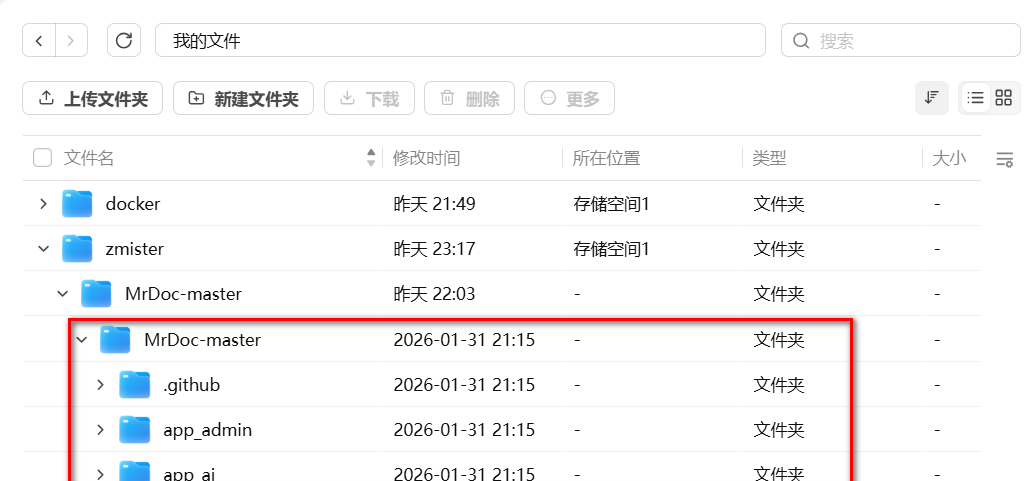 ## 3. Create the container In the local images tab of the Feiniu OS Docker component, select the "zmister/mrdoc" image you just downloaded and click the "Run" button: 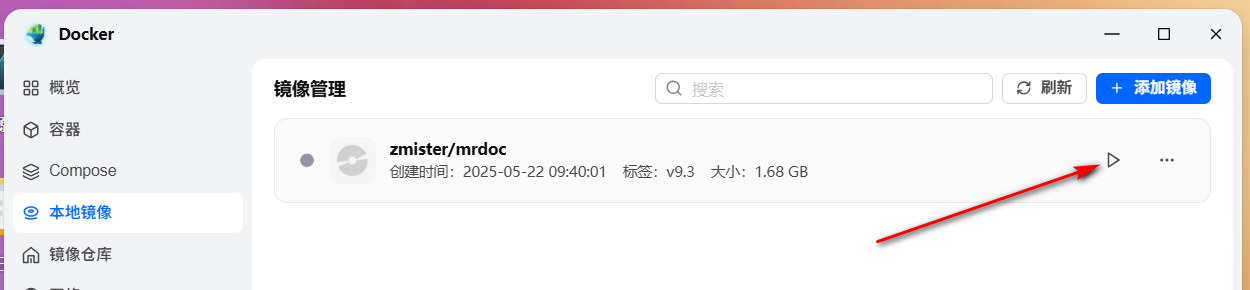 In the container creation window that pops up, configure the container name and other settings as needed, then click Next: 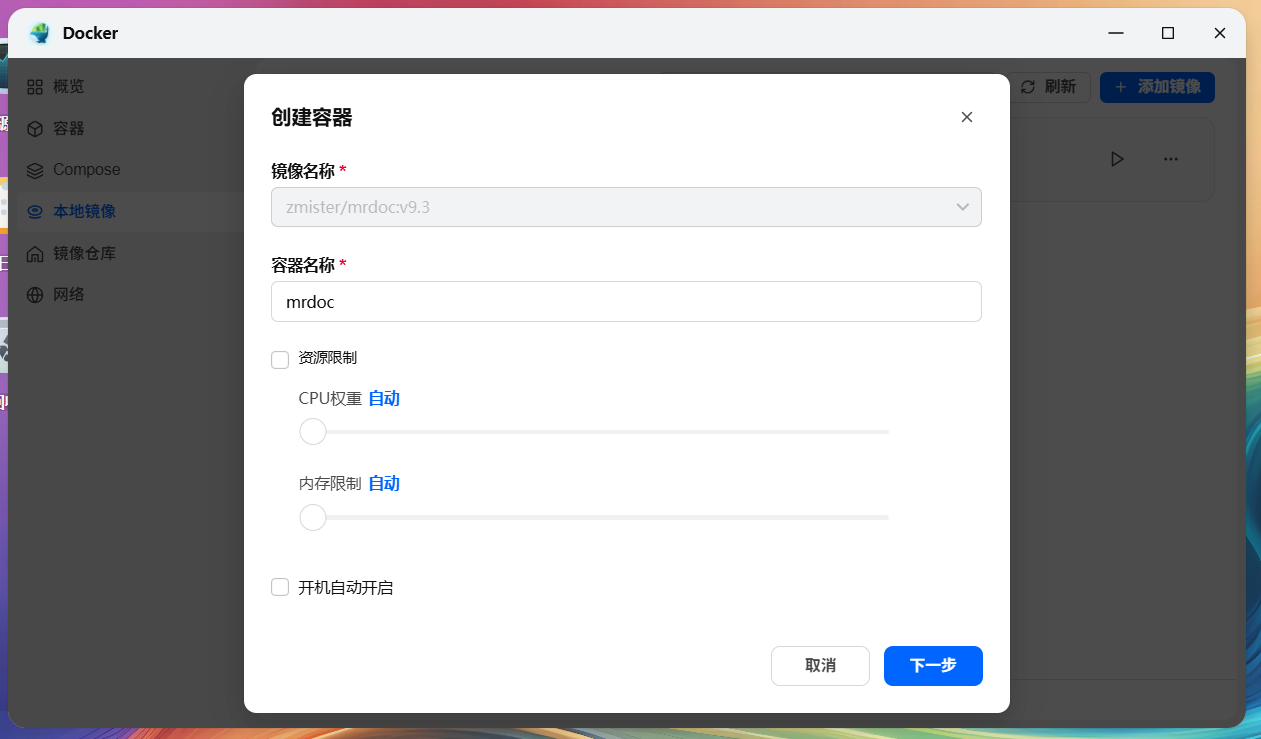 Then configure the ports and directories that the container needs to map in the advanced settings. 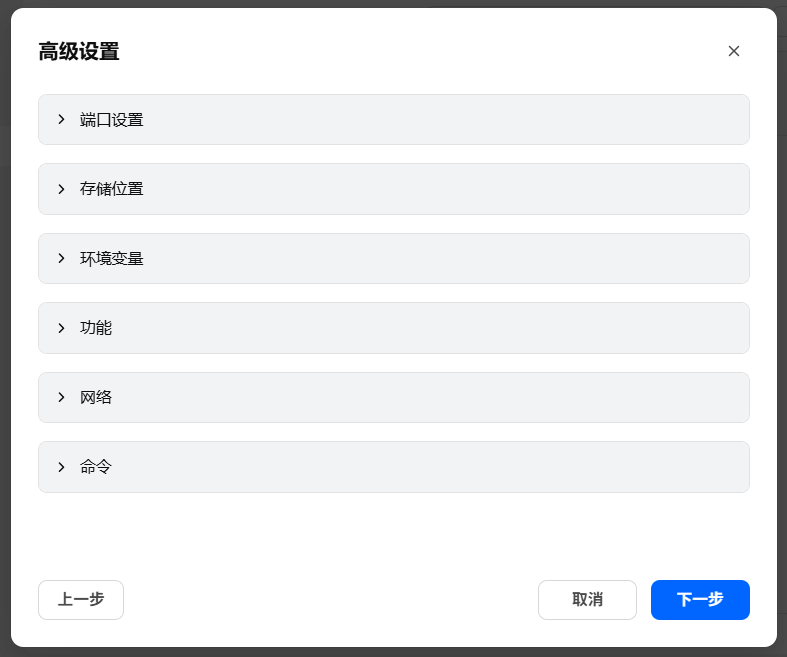 In the storage settings, click "Add Path" and select the MrDoc code directory you just uploaded to the storage space: 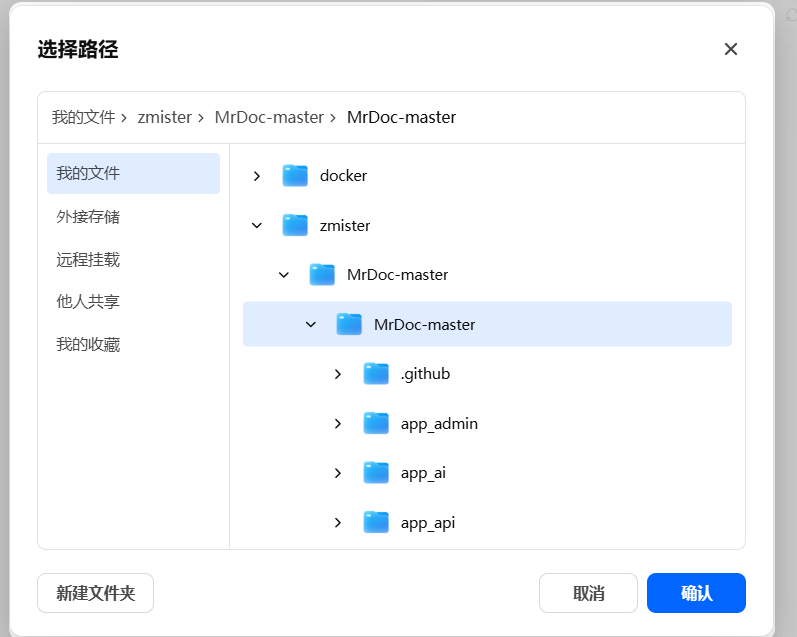 Enter `/app/MrDoc` as the mount path: 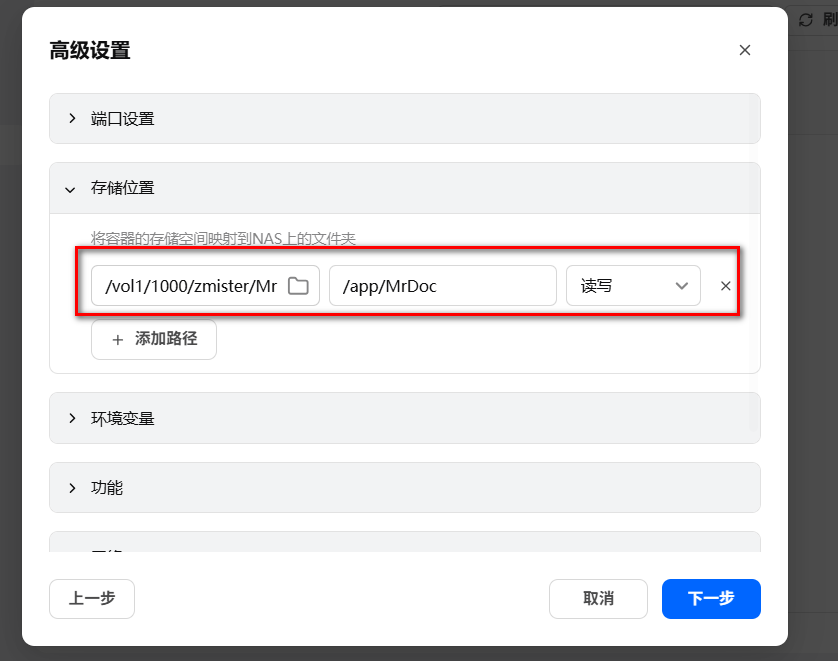 Then switch to "Port Settings" and enter the "Local Port" according to your needs. It is recommended to use the default port `10086`. Then click "Next" to see the full configuration of the container. 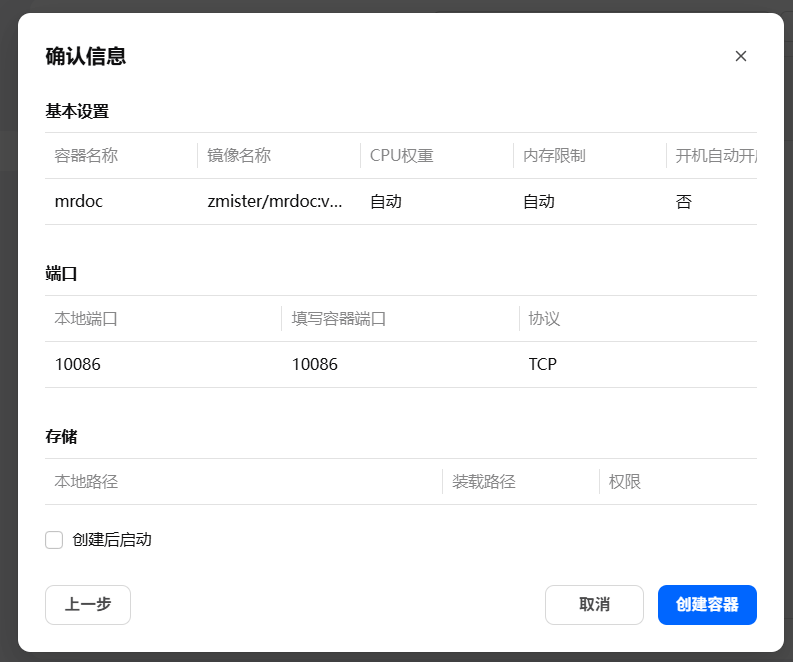 After confirming that everything is correct, click the "Create Container" button, and the MrDoc container will be created. Under the "Container" tab, you can see the running status of the MrDoc container: 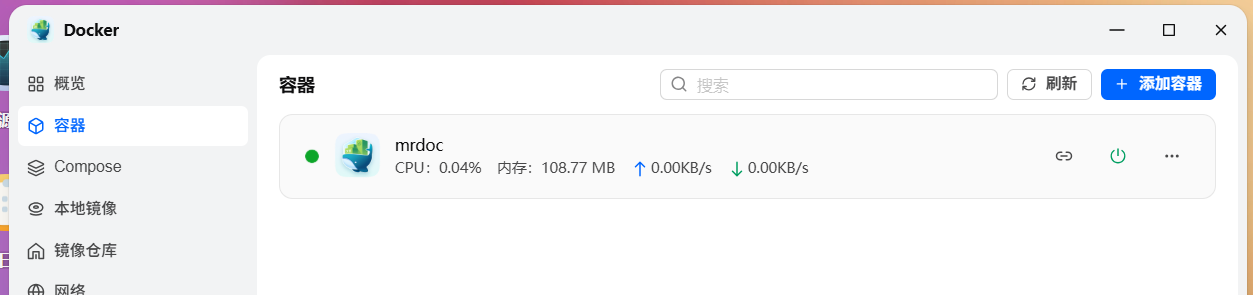 Now access `Feiniu IP address:10086` in your browser, and you will see the MrDoc interface: 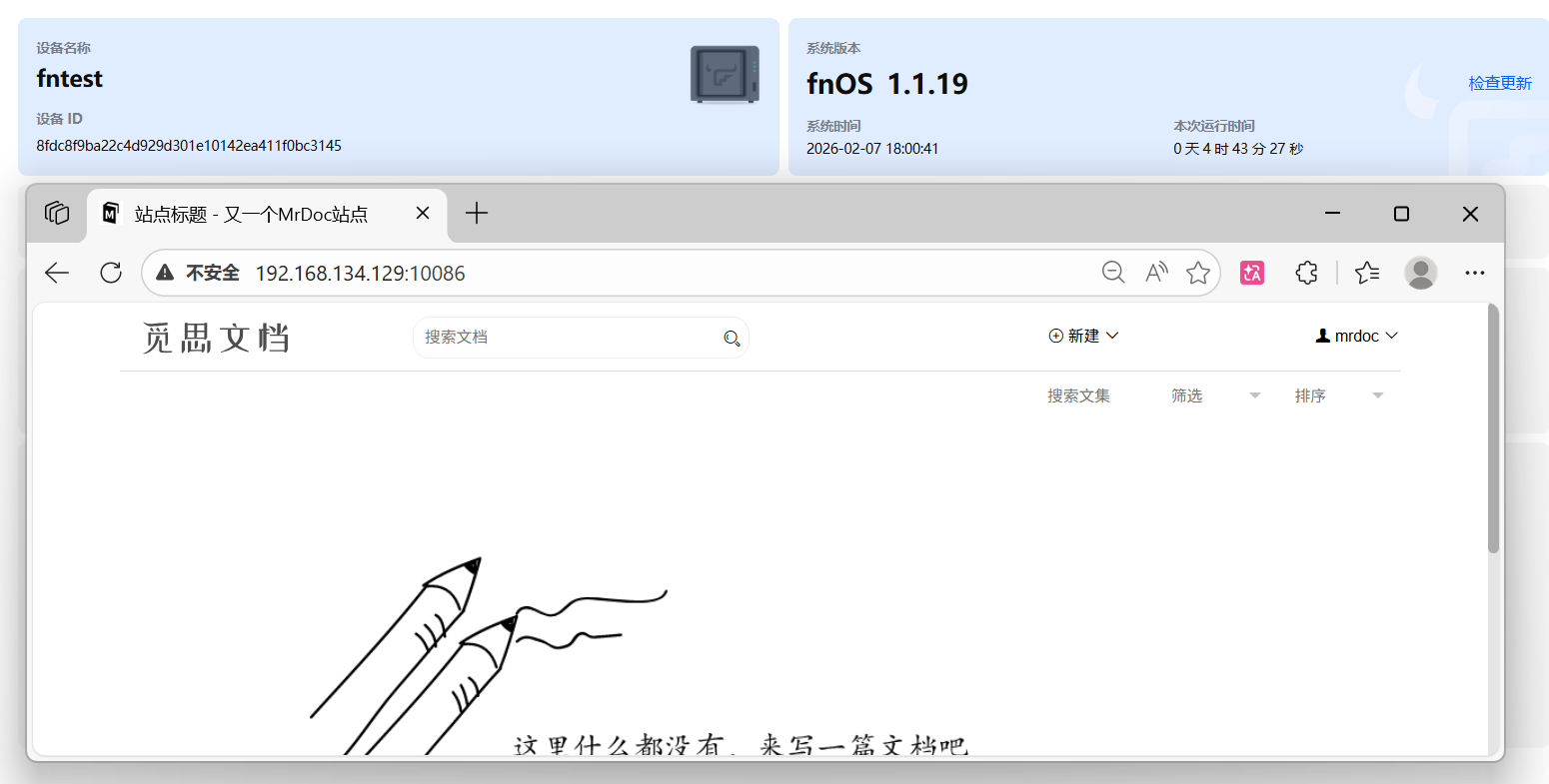 This indicates that the deployment was successful. ## 4. Create an administrator Under the Docker "Container" tab, click "Terminal" in the more options of the MrDoc container: 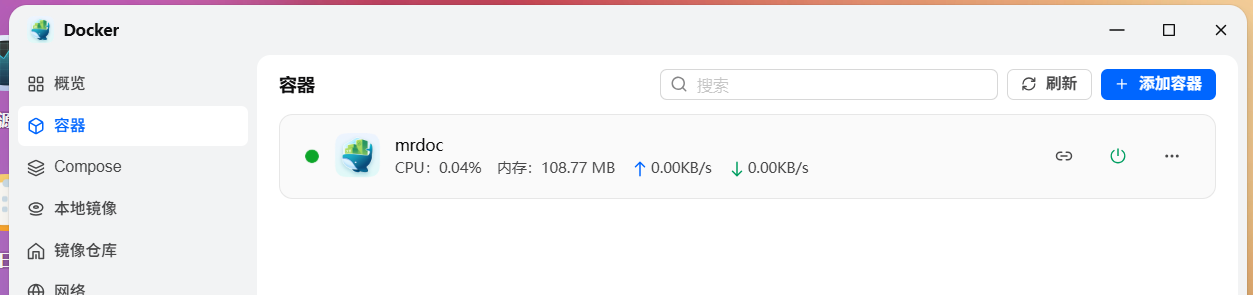 In the terminal, select "/bin/sh" to connect and enter the container's terminal command line: 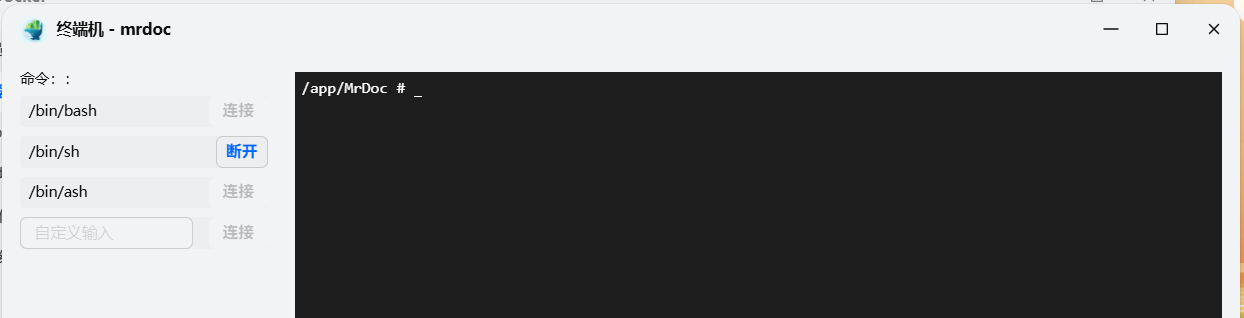 Enter the command: ``` python manage.py createsuperuser ``` Then follow the prompts to enter the username, email, and password in sequence: 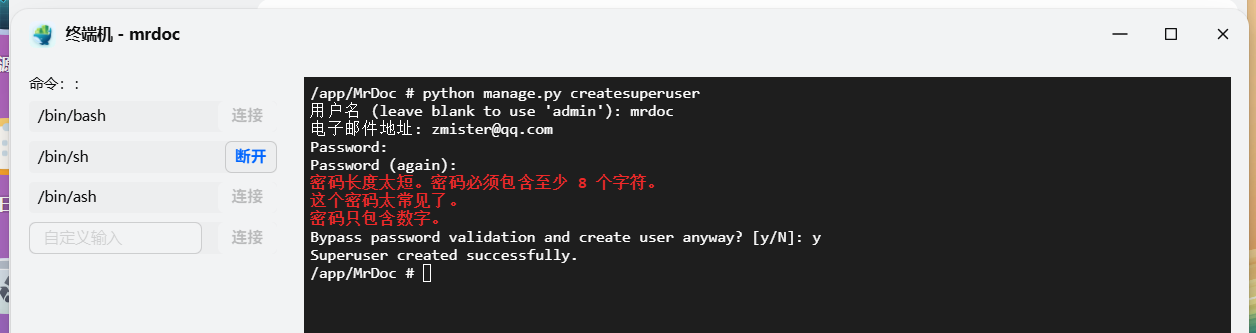 ## 5. Data backup MrDoc uses the file-based database `SQLite` by default. You only need to back up the `config` directory and the `media` directory in the MrDoc code directory in Feiniu OS to achieve data backup. 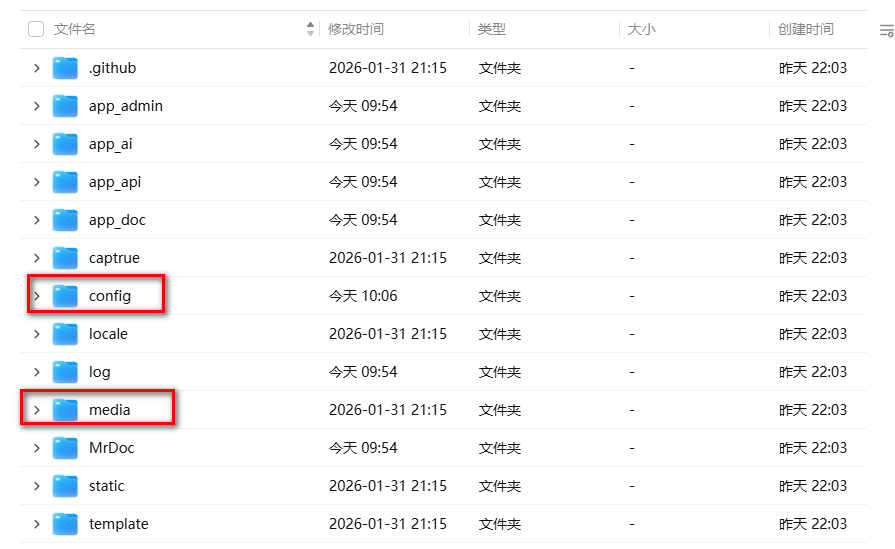 If you use MySQL or PostgreSQL databases, you need to back up these databases separately. ## 6. Update If MrDoc releases a new version, you need to back up your data first, then obtain the latest code to overwrite the code directory, and then overwrite the backed-up `config` directory and `media` directory into the code directory. @[frag](id=7 title=Pro edition guide - demo type)
mrdoc
Sept. 29, 2026, 2:56 p.m.
Forward
Favorites
Last
Next
Scan the QR Code
Copy link
Scan the QR code to share.
Copy link
share
link
type
password
Update password
Validity period
Markdown file
Word document
PDF document (print)