MrDoc User Manual
🎊 Basic Concepts
📑 Collection Feature
Document Sorting (Drag & Drop)
Document Watermark
Collection Permissions
Export as PDF / EPUB / Word
Collaboration & Members
Collection Info & Settings
Export Collection
Document Access Log
Pin Collection
Disable Document Copying
Transfer Collection
Collection Sharing
Enable Document Comments
WebHook Delivery
Hide Collection on Homepage
Collection Association Set
Tabs Configuration
Content Table Sorting
📄 Document Features
Subdocument Control
Sort Documents
Set Document Level
Document Sharing
Copy / Move Document
Document Permissions
Document Versions
Document Download
Export Markdown
Export as PDF
Export as Excel
Document Attachments
Transfer Document
Directory Display
Create Shortcut
Insert Video
Document Tags
Auto-Save
🗄️ Asset Management
Upload Size Limit
Allowed Image Formats
Allowed Attachment Formats
Attachment Preview
Transfer Attachments / Images
Image Cleanup
🎯 Import and Export
Desktop Import
Import from Joplin
Import from Evernote
Web Import
CLI Import
🔑 Third-Party Login
DingTalk Login
WeChat Work Auth
LDAP Integration
OIDC Integration
WeChat OAuth
📦 Third-Party Storage
MinIO
Qiniu OSS
Aliyun OSS
AWS S3
🤖AI Integration
Basic Configuration
Dify Integration
📝OnlyOffice Integration
📊 Drawio Integration
⚓ Site Management
Site Info
Homepage Template
Users & Accounts
Tracking Code
Ads / Info Block / Custom Head
Disable Update Check
Search Mode
Image Thumbnails in Docs
Feedback
RSS
Single Tag Settings
Email Sender
Site Data Export
Editor Settings
🧑 Personal Account
Default Editor
User Nickname
Change Password
Bind Third-Party Account
🎈 User Token API
Get User Token
List Collections
Get Collection Catalog
Get Collection Documents
Get Personal Documents
Get Document Content
Create Collection
Create Document
Update Document
Upload Image
Verify Token
🖥️ Client
💻 Desktop
📱 Mobile
🌐 Browser Extension
⌨️Obsidian Plugins
Common Issues Index
Powered by MrDoc Pro
-
+
home
📊 Drawio Integration
Drawio is a free and open-source online diagramming tool. MrDoc supports integrating the Drawio graphic editor to create Drawio documents. ## 1. Deploying Drawio Before integrating Drawio, you need to deploy the Drawio service yourself. The following two deployment methods are introduced: ### 1.1 Direct Deployment via Baota Download the latest `war` format installation package from the Drawio GitHub repository (https://github.com/jgraph/drawio/releases): 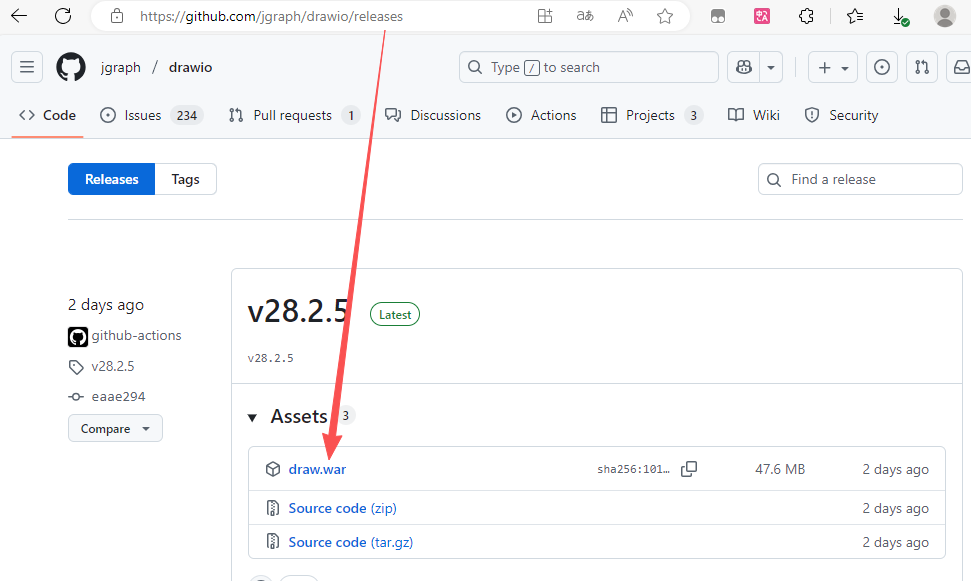 Then upload it to the server and extract it to the `/www/` directory: 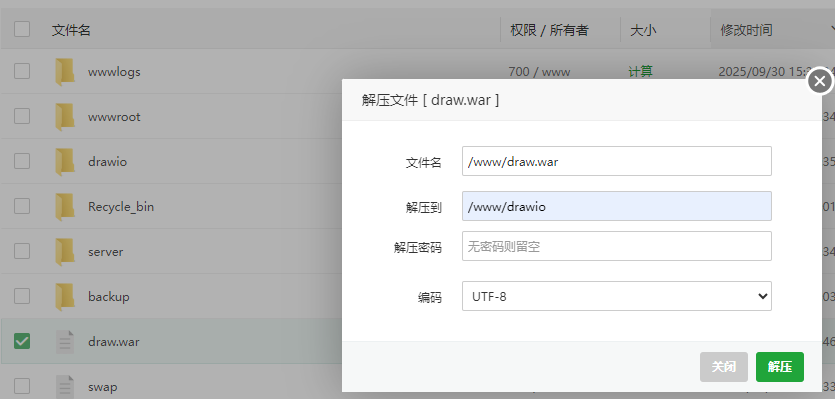 Next, add a site and modify the `root` path in the site configuration file to `/www/drawio`: 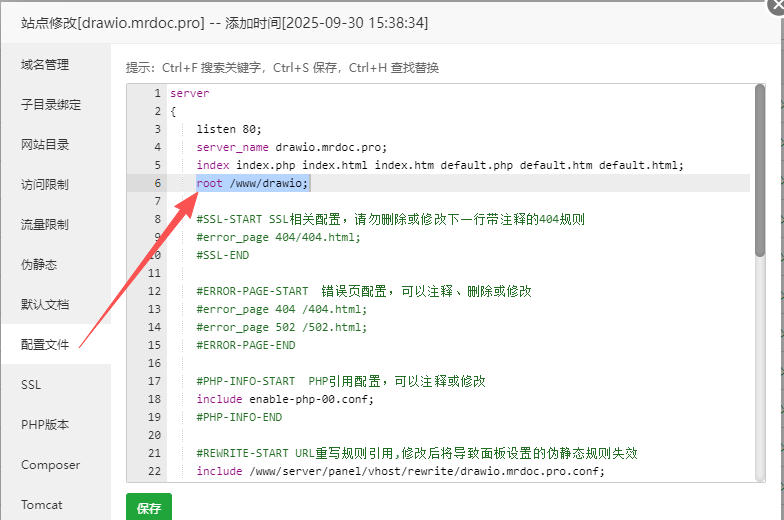 After this, accessing the domain will display the familiar Drawio interface. ### 1.2 Docker Deployment If you prefer containerized deployment, execute the following command to run a Drawio service on port 8080: ``` docker run -d --restart=always --name="draw" -p 8080:8080 jgraph/drawio ``` ## 2. Integrating Drawio Once Drawio is deployed, navigate to the backend management page - Site Management - Site Settings - Document Settings, and fill in the Drawio address in the Drawio configuration form: 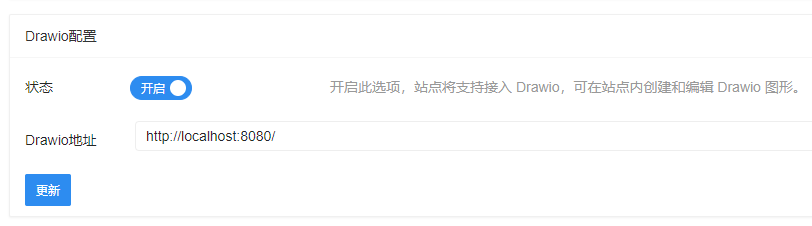 Then, from the "New Document" dropdown button on the homepage or within a document, you can select "Drawio" to create a new Drawio document: 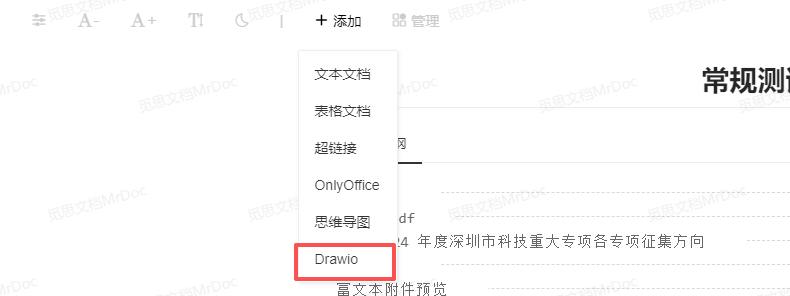 You can then create various types of diagrams in the Drawio editor: 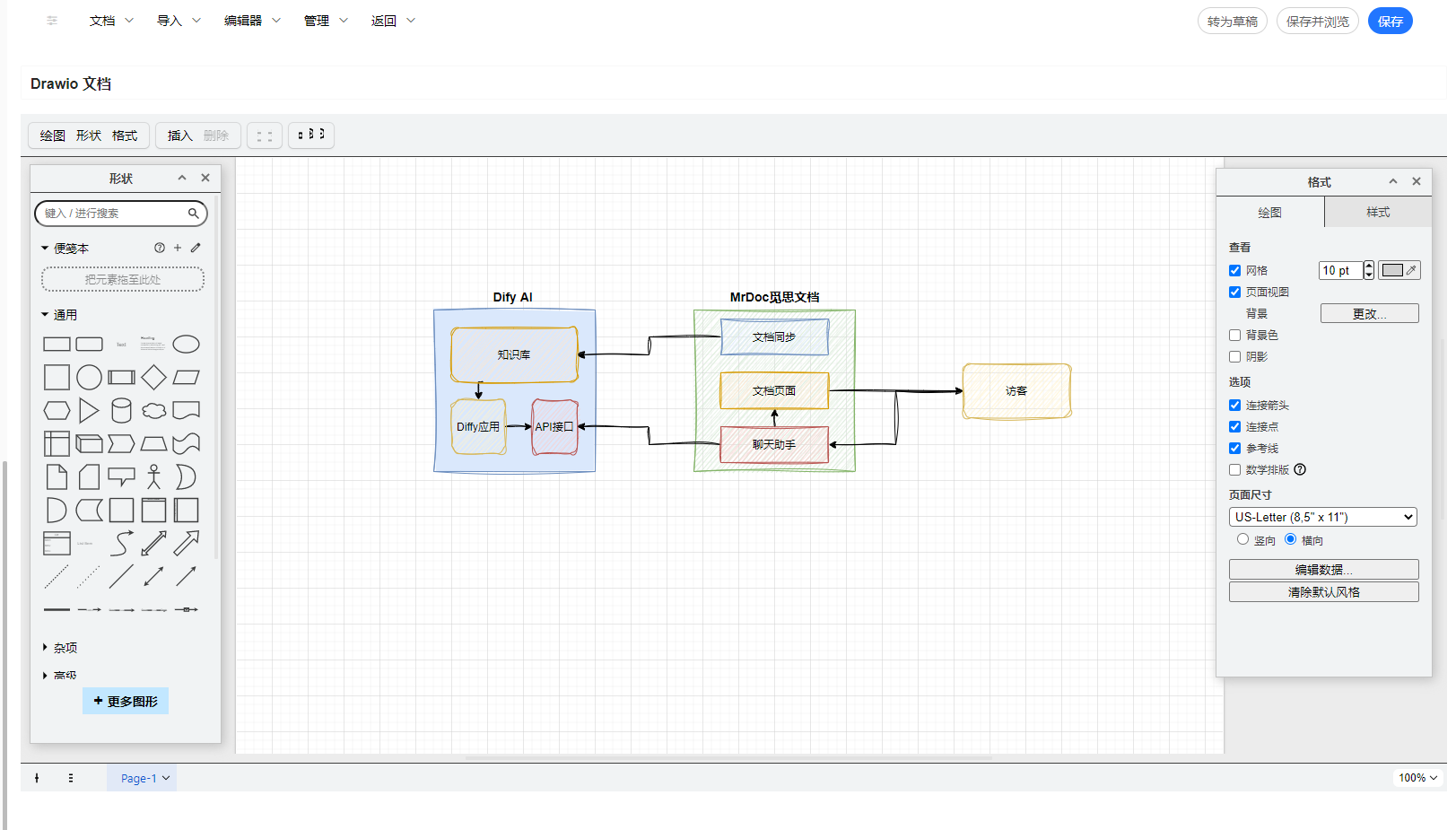
mrdoc
Nov. 18, 2025, 3:13 p.m.
Forward
Favorites
Last
Next
Scan the QR Code
Copy link
Scan the QR code to share.
Copy link
Markdown file
Word document
PDF document
PDF document (print)
share
link
type
password
Update password
Validity period